
 This website is now archived and will receive only maintenance updates.
 Gmail tab notifier (Firefox) Gmail tab notifier (Firefox) |


|
Came up with this after playing around with some other notifying tools, it’s simple but for me gets the job done perfectly, this script shows you when you have new mail in your gmail inbox, all you have to do is have your gmail open in a tab in firefox and the style does the rest. I think it looks best using app tabs, it looks and acts just like an app 🙂

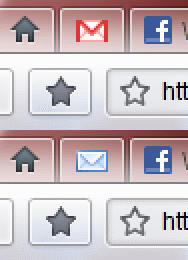
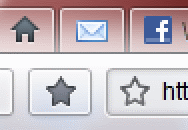
Userstyles/stylish links:
NOTE: Depending on whether your mail is entitled “Google Mail”, “Gmail” or just “inbox” you will have to install a different style.
Gmail:
http://userstyles.org/styles/25543 – Alternating Envelope
http://userstyles.org/styles/25542 – Flashing Envelope
http://userstyles.org/styles/25558 – Static Envelope
Google Mail:
http://userstyles.org/styles/25544 – Alternating Envelope
http://userstyles.org/styles/25541 – Flashing Envelope
http://userstyles.org/styles/25557 – Static Envelope
If your tab title says only “inbox”:
http://userstyles.org/styles/25560 – Alternating Envelope
http://userstyles.org/styles/25552 – Flashing Envelope
http://userstyles.org/styles/25559 – Static Envelope
If you don’t know what you need download stylish first and click on “install with stylish”, make sure you get app tabs too and right click on the tab and select “app tab” which will make it auto load with firefox too.

 22/2/2010
  1,727
1,727 

 Tag Cloud
 Popular Pages
 Recent Posts